
Graduation QR code: invitations, photos and memories in one place
Create a digital page for your graduation party: friends and family scan the QR code, RSVP, upload photos and videos of the ceremony and find all the event information without downloading any app.
Rated Excellent by users
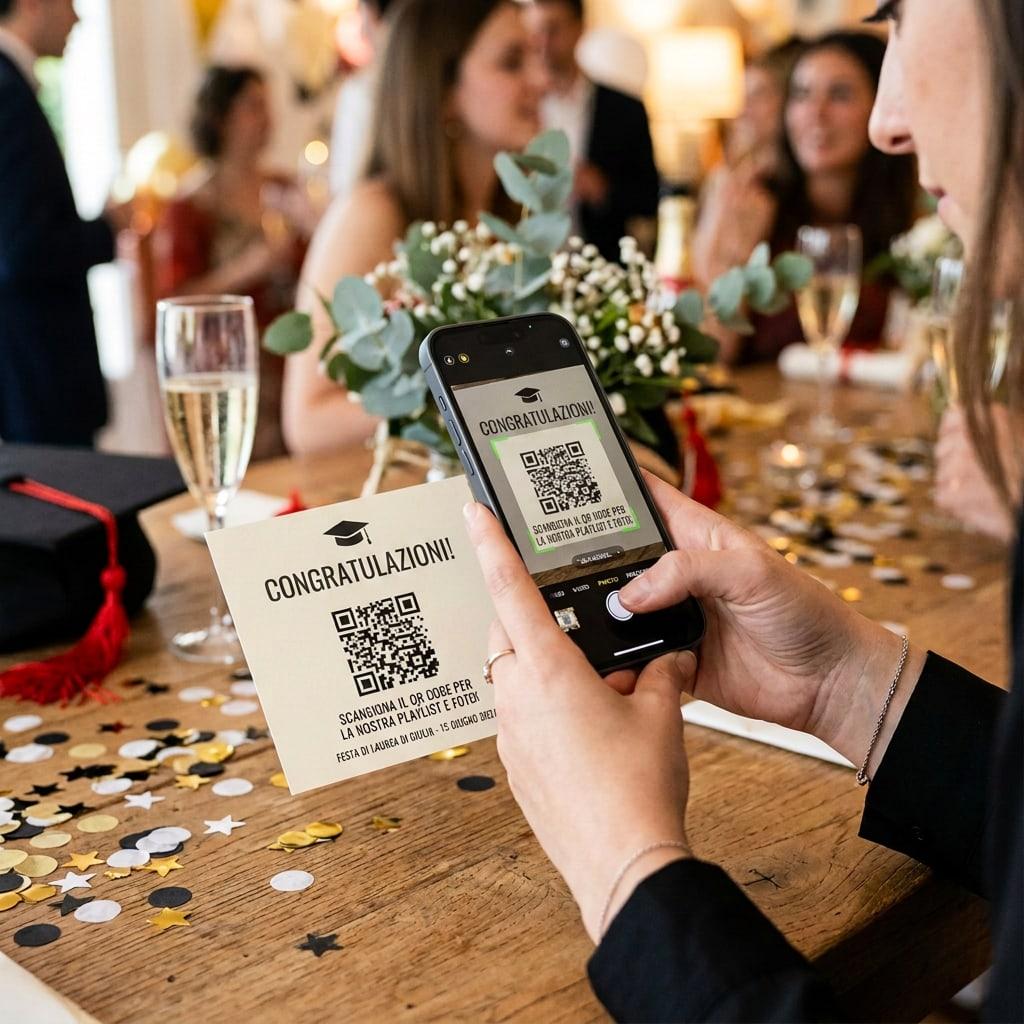
What is a graduation QR code and how does it work for invitations, photos and celebrations?
A graduation QR code is a code guests scan with their smartphone camera to open the graduation party page. From there they can see the date, venue, directions, the celebration schedule and the shared gallery.
With Togevent the code is generated automatically when you create your event: you can print it on invitations or cards, or display it at the party, so every photo and video of the ceremony and the toast ends up in one private album.
Collect graduation photos and videos in real time
Forget photos scattered across chats, stories and private messages. With the Togevent shared gallery, every guest uploads the best moments of your graduation straight from their phone.
From the ceremony to the cap toss, from the toast to the congratulations messages: it all stays in a private digital album, ready to relive and share with family and friends.

Choose a QR code template made for graduations
Customize a QR code invitation for a graduation party, a commencement ceremony, a master's or a bachelor's degree. Every template can link to the event page, the shared photo gallery and all the useful information for your guests.
QR code templates for graduations and celebrations
Browse the templates
Everything you need for an easier graduation celebration
Graduation invitations with a QR code
Add the QR code to printed or digital invitations: friends and family instantly open the page with ceremony details, lunch time and directions.
Photos and videos of the ceremony
Guests upload shots and videos from their phone, from the gown to the cap toss, with no app and no group chats. You find all your memories in one tidy album.
A private page for your graduation party
The event link is only accessible to people who receive the invitation or the QR code. Perfect for celebrating the new graduate with family and friends.
Schedule and details always up to date
Add the ceremony time, the reception venue, directions and notes for guests: everyone sees the updated information in real time.
How to use a QR code for your graduation
In three steps you'll have a smart invitation ready and gather all your graduation memories in one digital album.

Create your graduation page
Open Togevent and enter the date of the ceremony or party and the place where you'll celebrate. In just a few minutes you'll have a space ready for your guests. Your unique QR code is generated automatically in every plan.
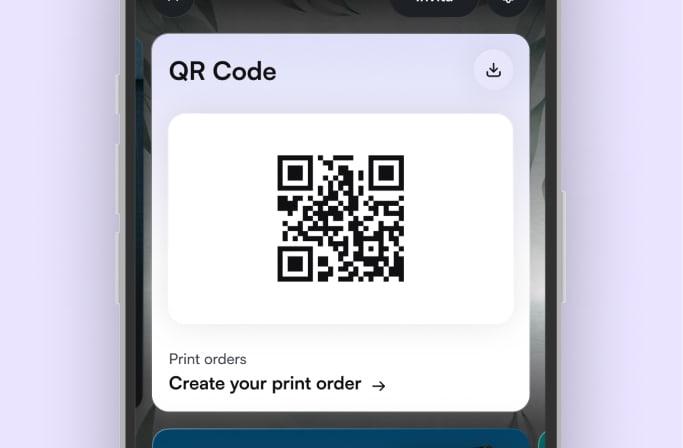
Print or share the QR code
Download the high-resolution QR code and print it on your seating chart or place cards. Or add 25 customizable cards with your event's QR code, delivered ready to use wherever you like.

Collect the party photos and videos
During the party, friends and family upload photos and videos straight from their phone. You see them in real time and can download all the content whenever you like.
Guests don't need to download any app
What graduates who used Togevent say
From graduation parties to family lunches, here's what people who organized their celebrations with Togevent have to say.
For my son's graduation I was looking for something simple to manage the invitations and collect the photos. With Togevent I did everything from the browser in half an hour: family and friends RSVPed the same day and all the graduation ceremony photos ended up in the same album, without having to ask anyone for them.
Marta
Organized a graduation party in July 2025

COLLECT YOUR GUESTS' PHOTOS
A QR code for every occasion
See how to gather all your guests' photos and videos in one album, with no app to download and no sign-up. Choose your event and head to the dedicated guide.

Wedding QR code
The most important day seen through the eyes of everyone who was there. Every guest scans the QR code and uploads photos and videos to your album: no app, no hassle.
Explore wedding QR codes
Birthday QR code
From the toast to cutting the cake: collect every shot of the party in one place. Guests scan and share in a second.
Explore birthday QR codes
QR code for special events
Baptisms, communions, anniversaries or company parties: whatever the occasion, a QR code gathers everyone's memories in one shared album.
Explore event QR codesGraduation QR code FAQ
Everything you need to know to create QR code invitations, collect photos and make your graduation party easier.
A graduation QR code is a code guests scan with their phone camera to open the party's digital page. It can include the date and venue of the ceremony, the reception time, the schedule, RSVP and the shared photo gallery. With Togevent it's generated automatically when you create your event.
No. Guests open the QR code in their phone's browser and can see the party information or upload photos and videos without installing anything. It's designed to be easy even for grandparents and relatives who aren't so tech-savvy.
Yes. You can add it to printed invitations, cards, digital cards, WhatsApp messages or a poster at the party. A single code takes friends and family to the graduation page, which is always up to date.
Once you've created your event on Togevent, the QR code is generated automatically and stays linked to the graduation page. You can download it in high resolution and use it wherever you like, online or in print.
Yes. Guests can upload photos, videos and messages straight from their phone. It's perfect for capturing the ceremony, the cap toss, the toast and the heartfelt notes from friends and family.
Yes. You can use it for any graduation party, bachelor's or master's, for ceremonies, family lunches or parties with friends. The event page can be customized to match the style of the celebration.
Yes. The album is only accessible to people who receive the link or scan the event's QR code. The content isn't public, and you can download or manage it from your Togevent space.
Your event. One space.That's it.
Togevent is the digital space for your event: one link with guest information, the schedule and the shared gallery. Guests join from the browser, without downloading any app.
You only pay when you decide to share it
A fantastic app that makes organizing events child's play
Gianlucaspat