Wedding
Wedding RSVP: how to manage guests and RSVPs
Learn how to manage wedding RSVPs, your guest list and confirmations in a simple, organized way, avoiding mistakes and stress while you plan.
 Fede from Togevent
Planning a wedding means making hundreds of decisions. But there's one question that always comes up sooner or later: "How many of us will there really be?"
When your wedding guest list isn't clear (or when replies trickle in across WhatsApp, phone calls and voice messages), planning becomes exhausting: a miscalculated budget, seating charts to redo, catering to renegotiate and the feeling of chasing everyone until the very last minute.
The good news is that a well-run wedding RSVP clears away most of the chaos: it gives you real numbers, helps you collect useful information and makes wedding guest management simple.
Wedding RSVP: what it is and why it matters
RSVP is the acronym for the French expression "Répondez, s'il vous plaît", which means "please reply". In practice, it's the wedding RSVP request that helps you figure out:
who's actually coming
with how many people (families, plus-ones)
with which needs (food, children, mobility)
In other words, the RSVP turns uncertainty ("maybe we'll be…") into a clear, up-to-date answer.
RSVP vs. Save the Date: the simple difference
A "Save the Date" is meant to get guests to mark the date on their calendar. A wedding RSVP, on the other hand, has a concrete goal: getting wedding RSVPs by a deadline, so you can finalize vendors and details without surprises.
When to send the RSVP and how to word the message
In most cases, it works well to ask guests to RSVP 4–6 weeks before the wedding date, so you have plenty of time to finalize the details with the caterer, arrange the tables and sort out logistics without stress.
To cut down on guests who reply at the last minute or forget to confirm, it's important to set a clear, reasonable deadline.
With Togevent you can create a wedding RSVP link and share it directly via WhatsApp (or any other channel).
Here's a sample message:
Here's the link to Togevent, an app that will help us all enjoy the event to the fullest.
Click the link to open a dedicated space with all the useful information: venues and activities, times and a shared album where you can upload your photos. What are you waiting for? Join our event!
Join here https://dashboard.togevent.com?action=invite&c=buzjx33jfx
You can also use the invite code: BUZJX33JFX
Togevent: the practical way to manage your guest list and replies
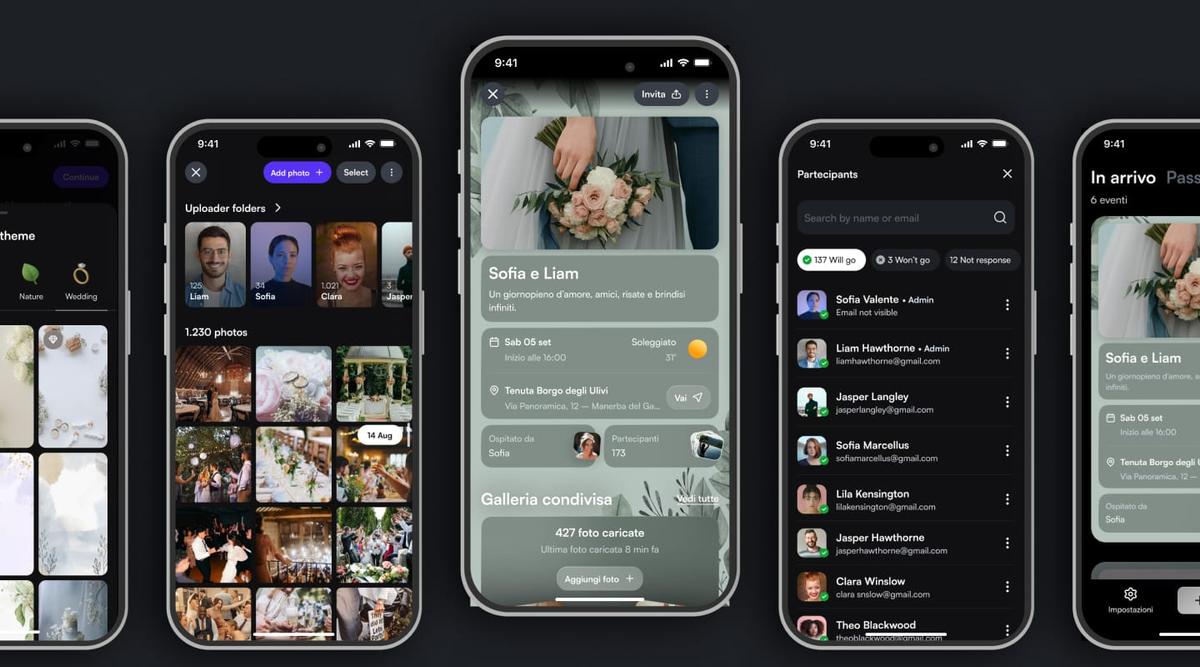
With Togevent you can create a single wedding RSVP link to share with all your guests: one access point where you collect RSVPs and keep your wedding guest information organized.
What it lets you do, in practice:
share a wedding RSVP link via invitation, WhatsApp or email
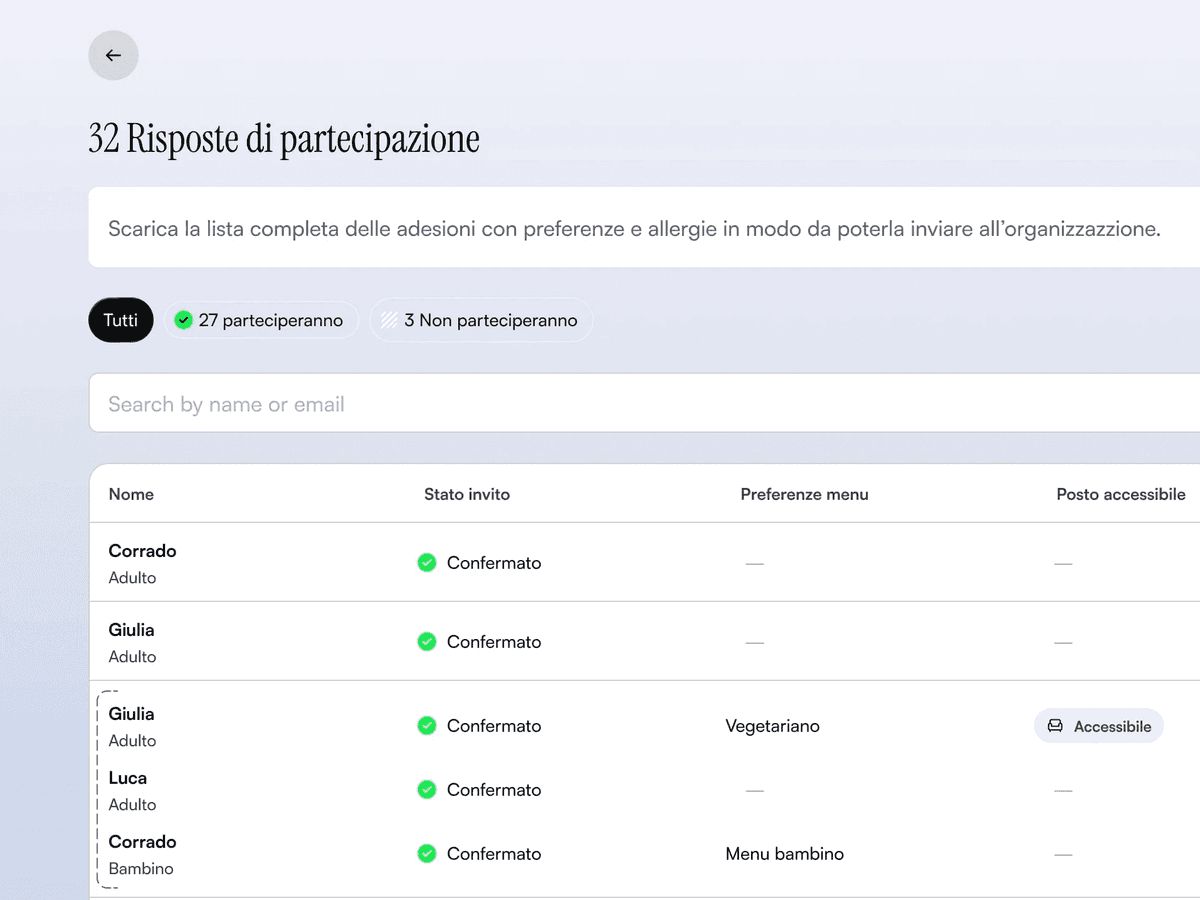
keep an always up-to-date wedding guest list, showing who has replied and who hasn't
see at a glance who "has confirmed"
centralize your wedding guest information (times, venue, schedule, parking, shuttles), avoiding repeated questions
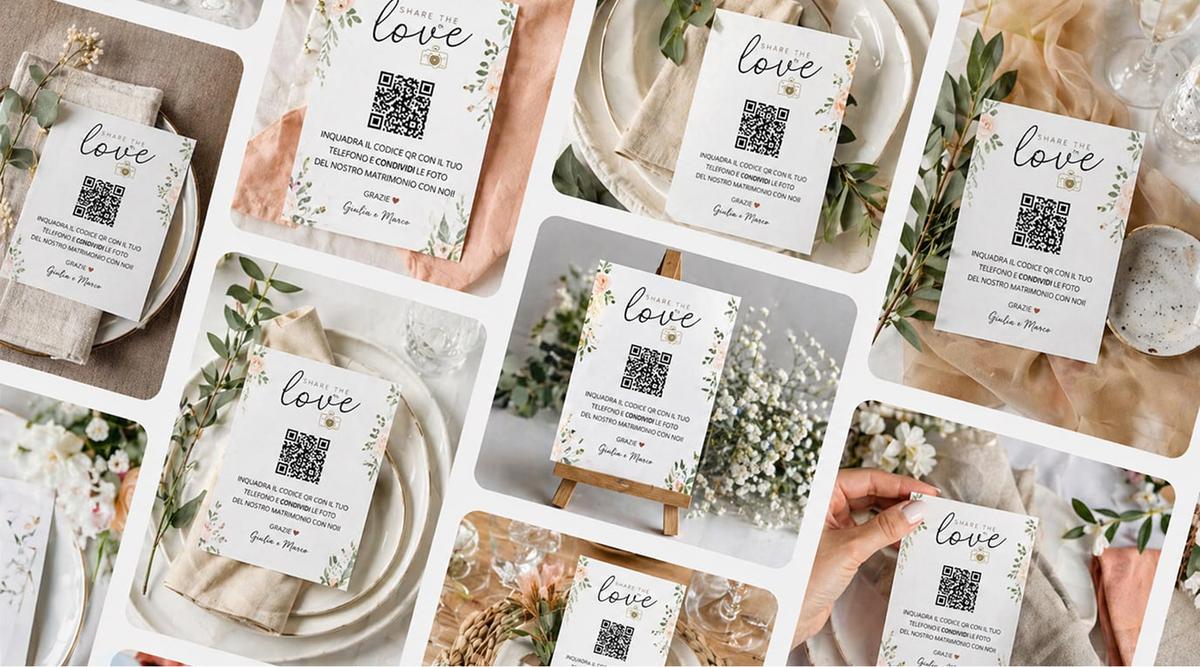
also use a wedding QR code (if you like) printed on your wedding invitations, so guests open the link in an instant
The result is simple: less chaos, more control and much smoother wedding RSVP management.
A well-run wedding RSVP isn't a formality: it's the fastest way to turn your planning from "constant chasing" into clear, calm management.
See how easy it is with Togevent: create your wedding RSVP link, share it with your guests and keep track of your wedding guest list, showing who has replied and who hasn't, so reminders become quick and targeted.
Fede from Togevent