Wedding
10 original ways to use a QR code at your wedding that will surprise your guests
Explore 10 original ideas for using a QR code at your wedding: from place cards to favors, from a shared playlist to photo collection. A practical 2026 guide.
 Fede from Togevent
Today the QR code has become one of the most versatile tools for making a wedding smooth, interactive and memorable.
It's not just about collecting photos (although that's still one of the most popular uses). A QR code at your wedding can become the invisible thread connecting your guests to everything they need: information, memories, music, games and even gifts. The best part is that it works for everyone, even those who aren't very tech-savvy: just point the camera at it and you're done.
If you're looking for original ideas to work a QR code into your wedding without giving up on elegance, this guide is for you. We've rounded up 10 creative ways to use it, with practical tips on how to do it well and mistakes to avoid.
Why the QR code has become the perfect wedding sidekick
Today's weddings are more and more focused on the guest experience. Throwing a beautiful party isn't enough anymore: couples want every guest to feel welcomed, involved and an active part of the day. And among the 2026 wedding trends, the QR code has carved out a role as a quiet star.
Why does it work so well? For three concrete reasons:
Total simplicity. No apps to download, accounts to create or complicated instructions. One scan from a phone and your guest has access to everything.
Versatility. A single QR code can link to a digital space with photos, the schedule, logistics, the wedding registry and much more.
Understated elegance. When it's well integrated into your wedding stationery and design, the QR code becomes part of the decor, not something out of place.
Think about how many times during a reception someone asks "what time are we cutting the cake?", "where do we park?" or "how can I send you the photos?" With a well-placed QR code, those questions answer themselves.
10 creative ways to use a QR code at your wedding
Here are the ideas that really work, tried and tested and adaptable to any wedding style.
1. Collecting guests' photos and videos
It's the most classic use, but also the most valuable. The QR code takes guests to a shared gallery where they can upload photos and videos straight from their browser, without downloading anything.
The result? An album that builds itself in real time during the party, with candid shots and unique perspectives your professional photographer can't capture. That laugh at your friends' table, grandpa getting emotional, the kids running around the garden: genuine moments that would otherwise be lost.
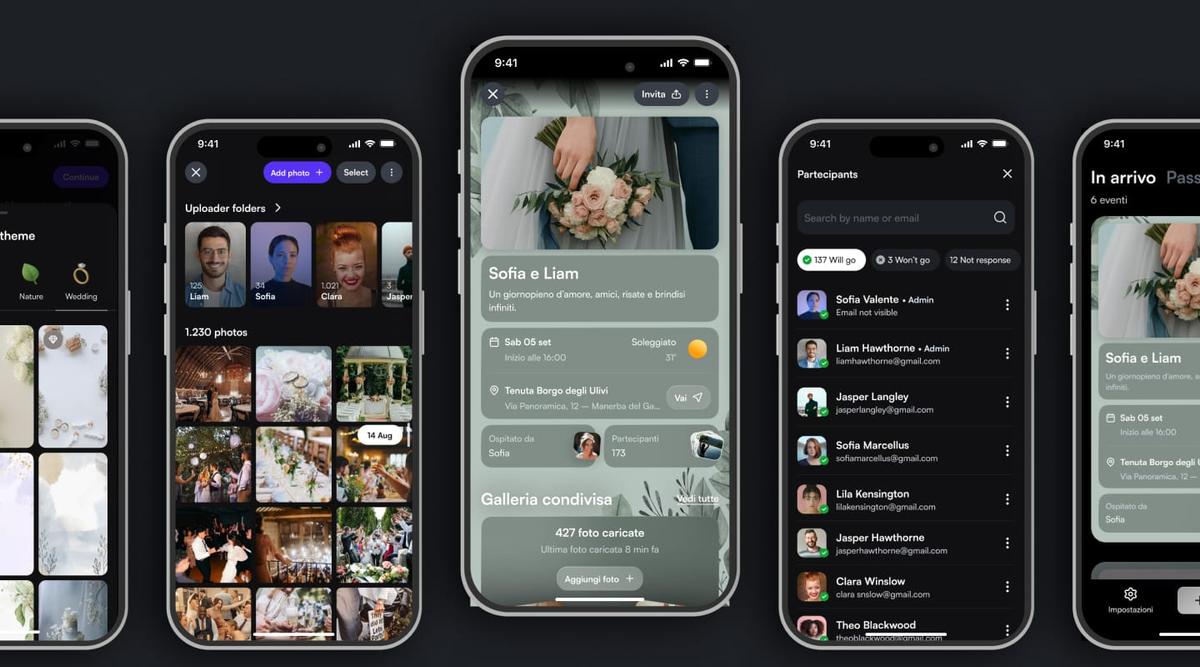
With Togevent, the shared gallery is already built into your event space. One scan and guests upload their photos in a few taps. If you want to dig deeper, here's a complete guide on how to collect your guests' photos without the stress.
2. An interactive seating chart
Instead of the classic board with names, picture an elegant seating chart with a QR code in the center. Guests scan it and instantly find their table, the evening's menu and maybe even a map of the venue.
It works especially well for weddings with lots of guests, where a traditional seating chart can cause lines and confusion at the entrance. With the QR code, everyone checks everything on their own phone in seconds.
3. Place cards with a QR code
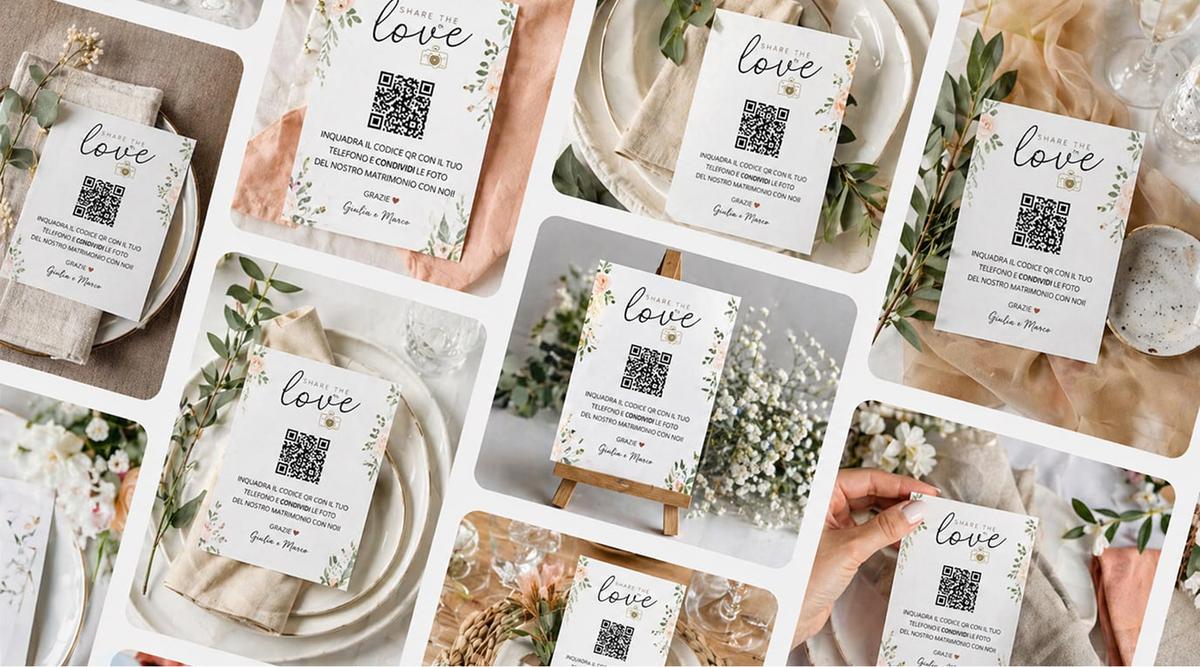
A place card doesn't have to be just a card with a name. By adding a small QR code, you can turn it into a personal access point: guests scan it and find the evening's schedule, the photo gallery to add to and all the useful information.
You can also personalize the message: a special welcome for each table, a fun fact about the couple connected to that group of friends, or a different "photo mission" for each seat.
A QR code on the place card works well because it's the touchpoint closest to the guest: it's right there on the table, within reach throughout dinner.
4. Digital wedding favors
Traditional wedding favors have their charm, but more and more couples are looking for sustainable, original alternatives. A QR code on the favor (or instead of the favor) can lead to:
A personalized thank-you message from the couple
The complete wedding photo album, to browse at leisure at home
A keepsake video of the day
A donation to a charity chosen by the couple
It's an idea that surprises guests and leaves a lasting digital memory, far more than a little bag of sugared almonds forgotten at the back of a drawer.
5. A shared playlist
Want the reception music to really reflect everyone's taste? Link the QR code to a shared playlist (on Spotify or another music service) and let your guests add their favorite songs.
You can do it before the wedding, by putting the QR code on your invitations or digital invite, or during the party with a sign near the DJ booth or the bar. The result is a soundtrack you build together, making the evening even more personal.
6. RSVPs
Adding a QR code to your invitations makes managing RSVPs much simpler. Guests scan it, confirm they're coming, note any dietary restrictions and how many plus-ones they're bringing. All in a few taps, with no phone calls, scattered messages or spreadsheets to update by hand.
With Togevent you can manage RSVPs right from the same digital space that holds all your other wedding information.
7. Schedule and logistics
What time does the ceremony start? Where do we park? Is there a dress code? These questions pour in during the weeks before the wedding. A QR code pointing to a page with all the up-to-date information eliminates dozens of messages and phone calls.
You can put it on your invitations, share it on WhatsApp or print it on a sign at the venue entrance. If a detail changes at the last minute, just update the page: everyone will see the correct information without you having to notify them one by one.
8. A surprise video message for the couple
An idea more and more couples are falling for: place a QR code in a dedicated corner (or on the tables) that leads to a page where guests can record a short video message with their wishes.
The result is a moving "video guestbook" to watch together after the wedding. It works better than a paper guest book because it captures voices, expressions and laughter, not just words scribbled in a hurry.
9. Games and quizzes for guests
Want to break the ice between tables that don't know each other? Link the QR code to a quiz about the couple, a photo scavenger hunt or a team game.
A few ideas that work well:
"How well do you know the couple?" quiz with fun questions about the two of you
Paparazzi mission: a list of shots to take during the party (e.g. "photograph someone dancing barefoot")
Wedding bingo: a card with typical wedding moments to "check off" during the evening
They're light activities that get people involved without forcing them, and help build connections between different groups of guests.
10. Post-wedding memories and thank-yous
A QR code doesn't stop being useful on the wedding day. In the days that follow, you can use it to:
Share the complete album with all the photos you collected
Send a thank-you message with a video or a letter from the couple
Give access to a recap of the day with the best moments
Add the QR code to your thank-you cards: it's an elegant way to close the loop and let everyone relive the day.
How to work the QR code into your design without ruining the look
One of the most common doubts is: "won't a QR code look ugly on elegant decor?" The answer is: it depends on how you use it.
Here are a few tips to keep everything visually cohesive:
Match the colors. Many generators let you customize the QR code with your wedding colors. A taupe code on an ivory background looks very different from a black square on white.
Build it into the design. The QR code can become part of the artwork: inside a frame, next to an illustration, woven into the decorative pattern of your invitations or place cards.
Choose the right material. Print it on materials that match your style: kraft paper for a rustic wedding, acrylic for a modern look, textured cardstock for a classic feel.
The right size. The QR code needs to be big enough to scan easily (at least 1.2–1.6 in / 3–4 cm per side) but not so big that it takes over.
Add a short line. A brief message like "Scan and share your memories" or "Scan to see the schedule" makes the QR code more inviting and explains what it's for.
If you want to get off on the right foot, here's a guide on how to create a wedding QR code quickly and easily.
One scan, endless possibilities
The real power of a wedding QR code isn't having a different code for everything. Quite the opposite: a single QR code that leads to a complete digital space is the most effective solution. Less confusion for guests, and a better chance they'll actually use it.
With Togevent you can create a dedicated space for your wedding that brings together photos, the schedule, your wedding registry, RSVPs and an announcement board — all accessible with a single scan. Create your event for free and discover how a tiny square can become a bridge to memories that last.
Fede from Togevent