Wedding
Bank details on wedding invitations: yes or no? A practical guide
Is putting your bank details on your wedding invitations a good idea? Discover the pros, the cons and how to do it elegantly and without mistakes.
 Fede from Togevent

You've just finished choosing your wedding invitations and you look at each other with the question that sooner or later hits every couple: "So, do we include our bank details or not?"
You're not alone. Putting bank details (IBAN) on wedding invitations divides practically every couple, every family and even every online wedding forum. Some see it as practical and transparent, some find it inappropriate, and some simply don't know how to bring it up without feeling uncomfortable.
The truth is there's no single right answer for everyone. But there are ways to handle it naturally, without your invitation sounding like a request for money. Let's see how.
What etiquette says (and what happens in real life)
Traditional etiquette is pretty clear: an invitation shouldn't contain any explicit reference to gifts. According to the classic rules, the gift should be chosen freely by the guest and handed over in person or delivered to the couple's home before the ceremony.
In practice, though, things work differently. Today most couples prefer to receive a cash contribution, perhaps toward the honeymoon or a shared project. And most guests, for their part, would rather know right away how to give a gift than ask around or risk getting it wrong.
The point isn't whether to share this information, but how to do it the right way: discreetly, clearly and without making anyone uncomfortable.
Where and how to share your bank details without awkwardness
If you decide to share your bank details, there's just one golden rule: never in the main body of the invitation. The invitation tells the story of your day; it's not the place for banking information.
Here are three alternatives that work well and respect both you and your guests.
A separate card inside the envelope
The most classic method and still one of the most popular. A small insert, matching the style of your invitations, with a simple, discreet phrase.
An example that works:
"For those who would like to give us a gift, we'd love a contribution toward our next trip together."
Followed by your bank details and the account holder's name. Clean, clear, no awkwardness.
A digital page or QR code
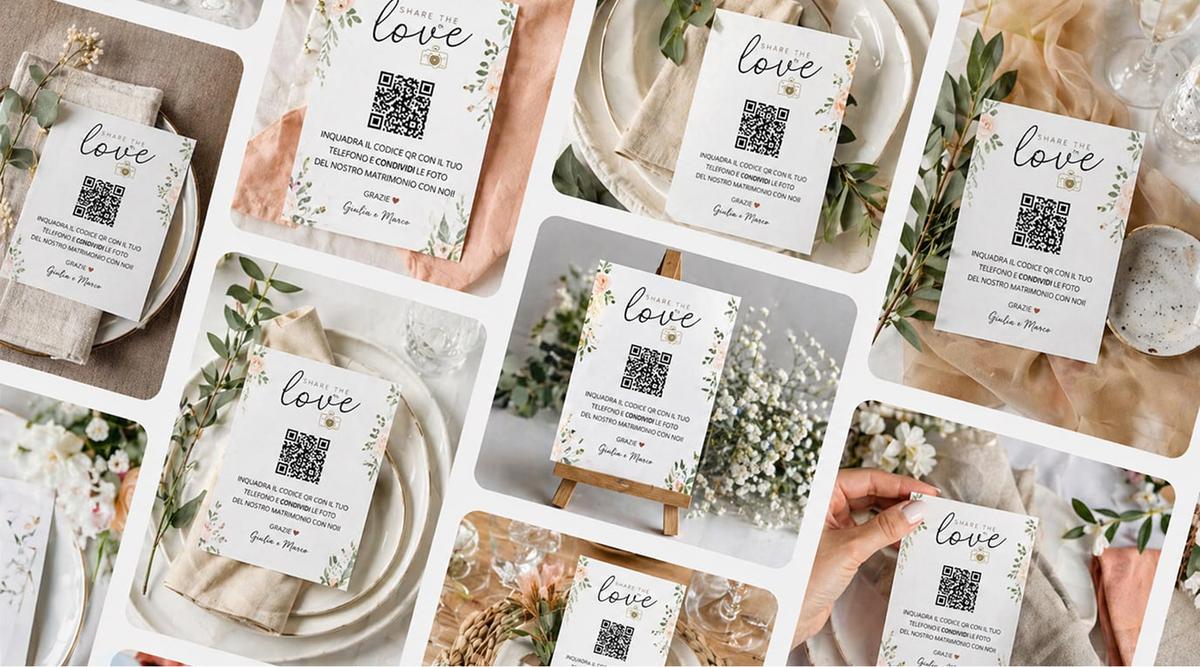
For those who prefer a more modern approach, a QR code is a great solution. Just add it to the invitation or the insert card: one scan and the guest finds all the information, from your bank details to your wedding registry, without anything printed in plain sight on the invitation.
This method has a double advantage: it's discreet, and it lets you update the information at any time without reprinting anything.
Word of mouth
If your wedding is an intimate one or you prefer a personal touch, you can simply share the information verbally, perhaps through close family members or your wedding party. Many guests ask on their own, and often all it takes is answering naturally when the question comes up.
Alternatives to bank details: wedding registry and digital solutions
If the idea of printing your bank details makes you uncomfortable, know that today there are much more elegant and practical alternatives.
An online wedding registry is probably the most popular choice. It lets you:
offer several options (honeymoon funds, experiences, items for the home)
avoid showing your account number to every guest
give everyone the freedom to contribute however they prefer
manage everything from a single shareable link
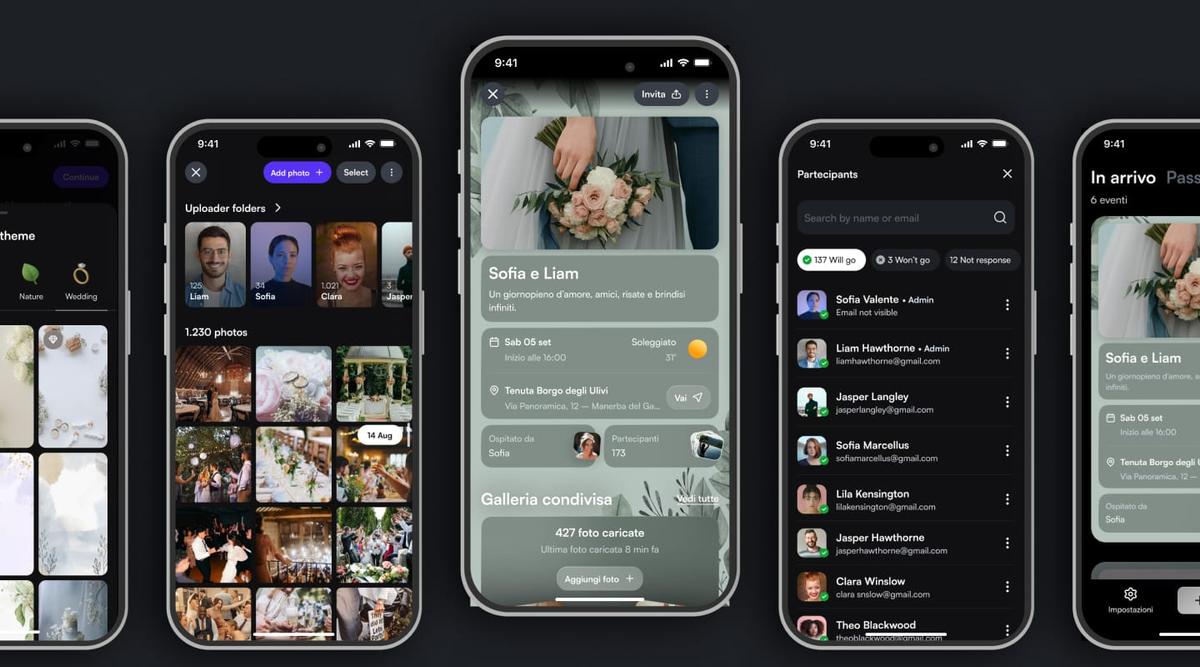
Another option is to create a digital wedding space where you gather all the useful information: schedule, venue, dress code and, in a dedicated section, gift details too. That way guests find everything in one place, without messages scattered across chats and phone calls.
How Togevent makes it all simple: wedding registry, info and a single link
This is where Togevent comes in. With Togevent you can create a complete digital space for your wedding, where the wedding registry is just one of the many things guests will find.
Here's how it works in practice:
Create your event on Togevent and get a dedicated space with a unique link.
Add the "Wedding Registry" section with the options you prefer: honeymoon funds, open contributions or whatever suits you best.
Share the link (or the QR code) with your guests, on your invitations or by message.
When guests open it, they find everything in one place: practical information about the event, times, a shared agenda and also the simplest way to contribute to your gift. No bank details printed in plain sight, no repeated messages, no awkwardness.
The best part is that Togevent isn't just for gifts. Guests can check the day's schedule, upload photos to the shared album and stay updated on any last-minute changes. All from a single link, without downloading any app.
Checklist: how to handle gifts stress-free
Before you make a decision, here's a practical recap:
Decide together whether you prefer a cash contribution, a wedding registry or both
If you choose bank details, put them on a separate card or a digital page, never in the invitation text
Choose a discreet, non-demanding phrase (e.g. "For those who would like…")
Create a single space to gather all the info for your guests (wedding registry included)
Always include the account holder's name
Never give the impression that a gift is mandatory
Planning your wedding and want to manage your registry, information and gifts in one place?
With Togevent you can create your digital space in minutes: one link, all the info and zero awkwardness. Try Togevent and see how easy it is to keep things simple.
Fede from Togevent